Copy Tracks
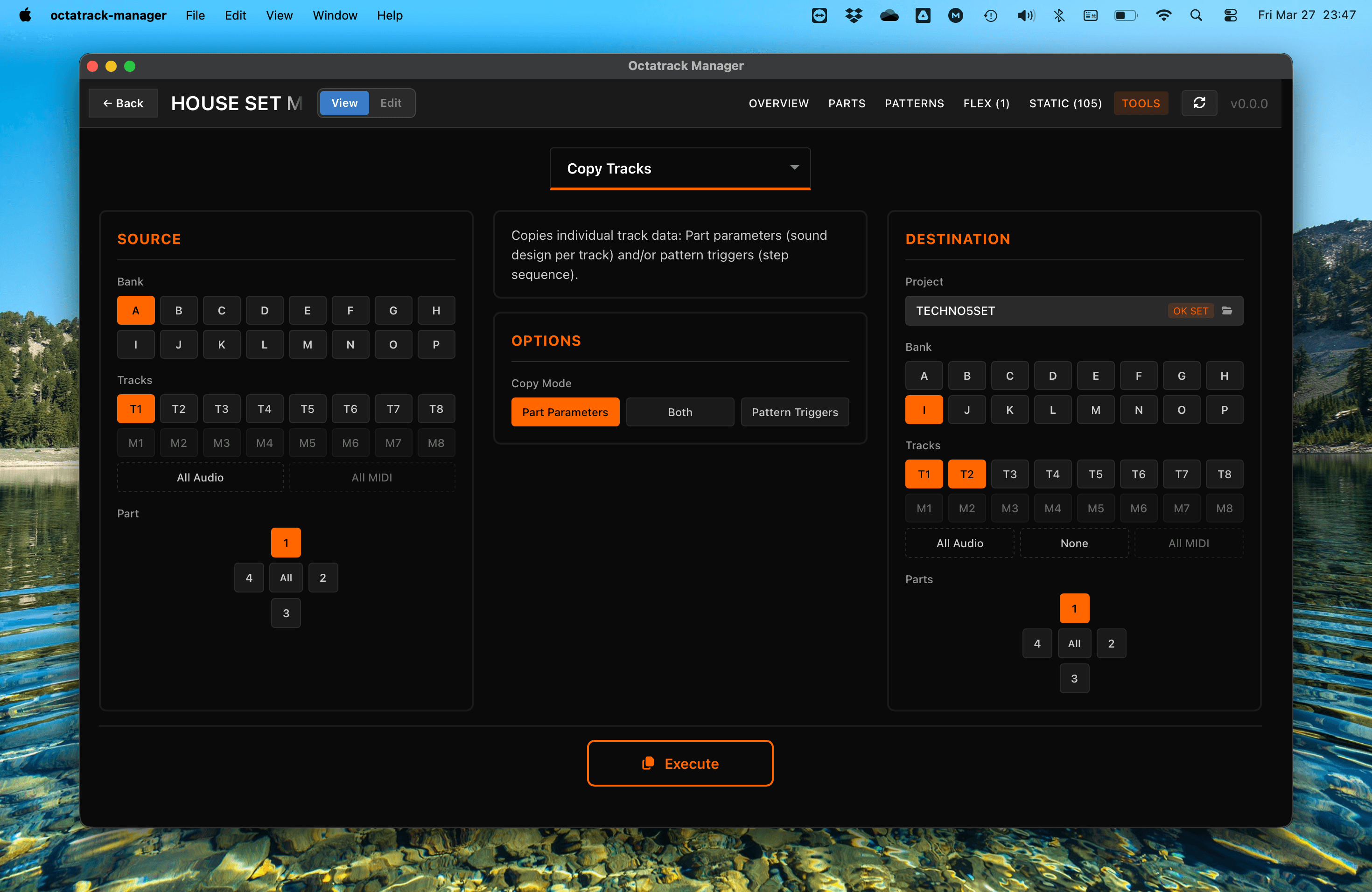
Copy Tracks is the most granular copy operation in Octatrack Manager. It copies individual track data (sound design and/or pattern triggers) between parts and patterns, within or across projects.
tip
Tracks aren’t treated as first-class entities in the Octatrack's architecture. This feature goes beyond existing limitations, giving users the power to craft a precise and flexible combination of elements that make up a “track” without being constrained by existing structures.
Workflow
- Source: Select the bank (A–P), part (1–4), and track (T1–T8 for audio, M1–M8 for MIDI).
- Destination: Choose the target project, bank, part(s), and track(s).
- Copy Mode: Choose what data to copy — Part Parameters, Pattern Triggers, or Both.
- Execute: Perform the track copy.
Copy Modes
- Part Parameters: Copies per-track sound design data (machine type, amp, LFO, FX, volumes, recorder setup).
- Both saved and unsaved (working) Part states are transferred, but only for the selected tracks — all other tracks' data in both states is completely preserved.
- The destination Part becomes a hybrid gracefully: selected tracks get source data in both states, while non-selected tracks keep their existing saved and unsaved data untouched.
- Part names are not copied, since only selected tracks are modified.
- Pattern Triggers: Copies only the sequencer data (triggers, trigless trigs, parameter locks, swing) for the selected tracks. Sound design settings remain unchanged.
- Both: Copies both sound design settings and sequencer data for a complete transfer.
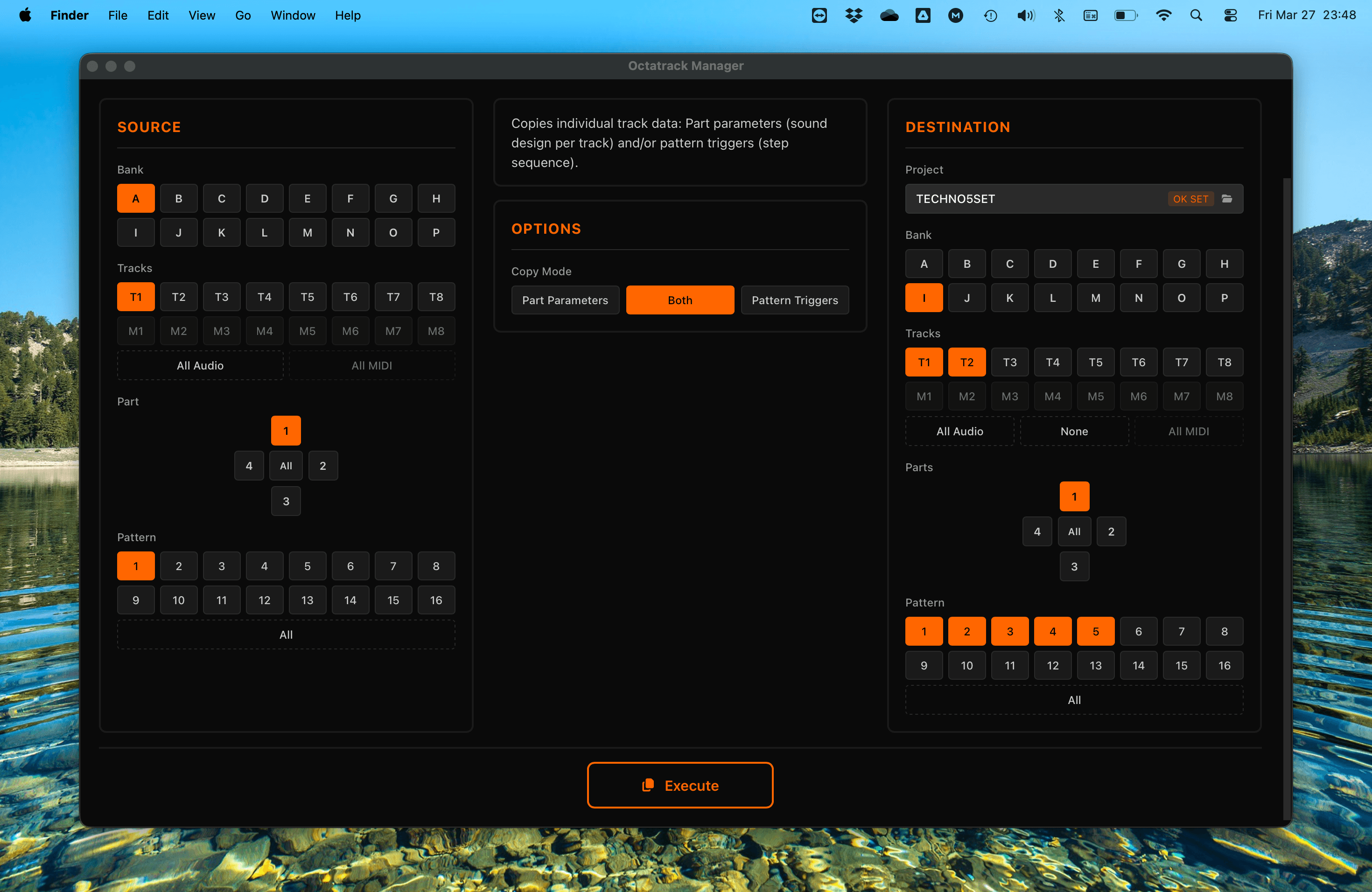
Track Mapping
A single source track can be copied to one or multiple destination(s):
- Single source → single destination: Copies one track to one target.
- Single source → multiple destinations: A single source track can be copied to multiple destination tracks (e.g., T1 → T1, T3, T5).
- All Audio / All MIDI: Select All Audio (T1–T8) or All MIDI (M1–M8) to copy all tracks 1-to-1.
Pattern Selection
When using Both or Pattern Triggers mode, you can select which patterns to copy:
- Pattern 1 (default): Both "Both" and "Pattern Triggers" modes default to Pattern 1 as source and destination.
- Specific source pattern → multiple destinations: A single source pattern can be copied to one or more destination patterns.
Important Notes
- Track Type Consistency: Audio tracks (T1–T8) can only be copied to audio targets, and MIDI tracks (M1–M8) to MIDI targets.
- Part Names Not Copied: Since Copy Tracks only modifies selected tracks, the destination Part name is preserved: Overwriting it with the source Part name would be misleading for a hybrid Part.
- Automatic Backup: The app automatically backs up the destination bank file before executing. See Tools Overview for details.
- Sample Slot References: This tool only copies the reference to a sample slot id (which Slot is assigned to track), not the Sample Slot metadata, nor audio file itself. Use Copy Sample Slots to transfer audio files.