Introduction
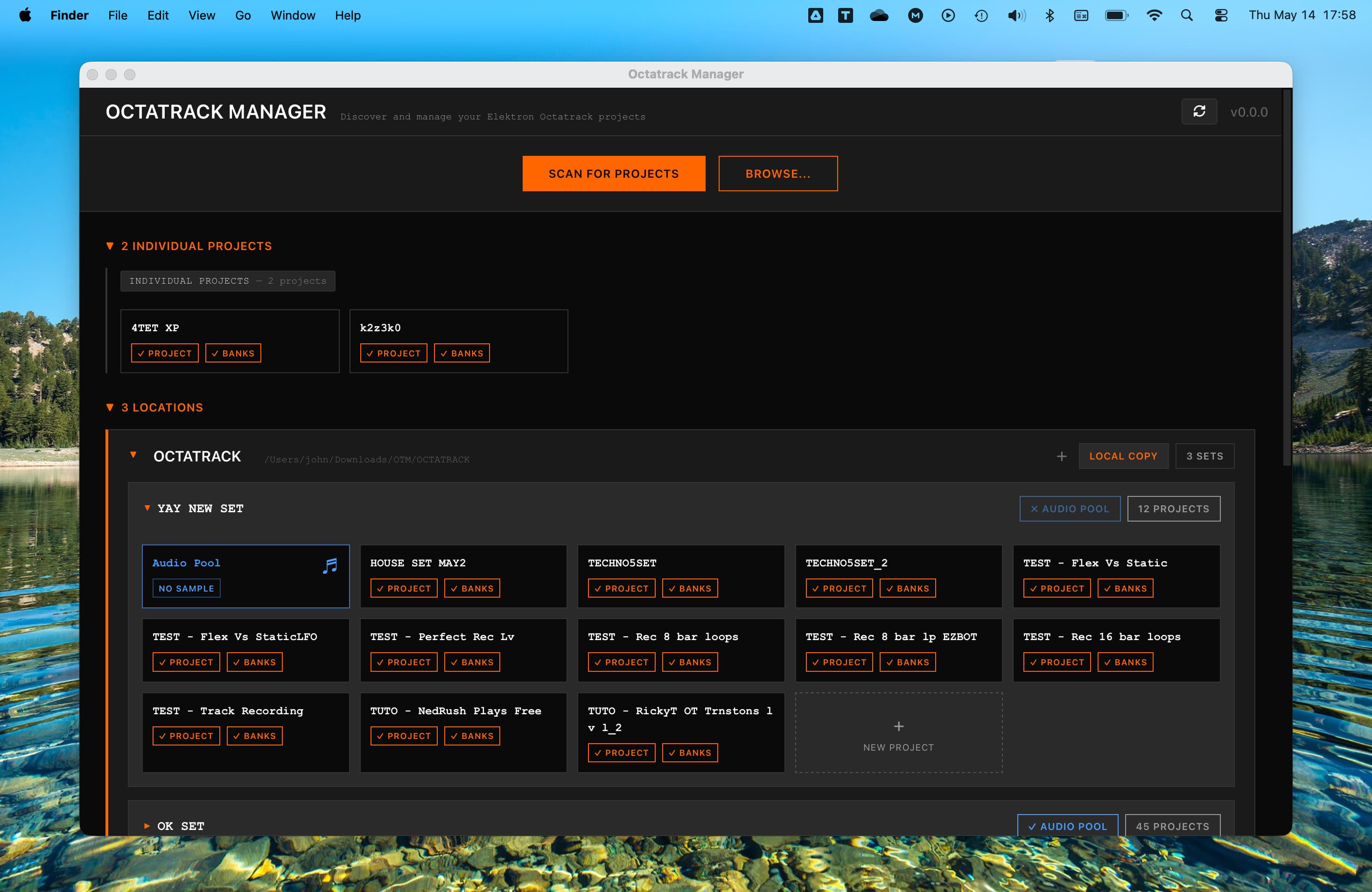
Octatrack Manager is a task-oriented desktop application designed to simplify the management of your Elektron Octatrack projects.
Whether you are preparing for a live set, organizing years of studio work, or deep-diving into sound design, Octatrack Manager provides a clear, high-level view of your data and powerful tools that are not available directly on the hardware.
Why use Octatrack Manager?
The Octatrack is a deep and powerful machine, but its small screen can make certain tasks tedious. Octatrack Manager bridges this gap by bringing your projects to your computer, allowing you to:
- Save Time: Perform bulk operations like copying banks, parts, patterns, tracks, and sample slots between projects.
- Visualize Your Projects: See your patterns, triggers, and parameter locks clearly on a large screen.
- Organize Your Library: Manage your sample library with automatic format conversion and high-quality resampling.
- Design Sounds Comfortably: Edit machine parameters, effects, and LFOs with a dedicated interface, including a custom LFO designer.
- Maintain Data Integrity: Inspect projects safely with a read-only view, or use the "Edit" mode to make intentional changes. An automatic backup system protects your data before any write operation.
Core Capabilities
- Project Discovery: Automatically scans CF cards, USB drives, and local backups to find your projects.
- In-Depth Inspection: View mixer settings, MIDI configuration, memory allocation, and metronome settings for any project.
- Pattern Visualization: Explore every step of your sequences, including micro-timing, trig conditions, and chord information for MIDI tracks.
- Audio Pool Management: Browse your samples with detailed metadata (channels, bit depth, sample rate) and transfer files with automatic WAV conversion.
- Sample Slot Assignment: Assign samples to Flex/Static Sample Slots by dragging them from the Audio Pool or your computer.
- Cross-Project Copying: Copy banks, parts, patterns, tracks, and sample slots between projects, with configurable options for each operation.
- Parts Editing: Modify sound design snapshots for both audio and MIDI tracks, with full support for machine parameters and effects.
Essential Concepts
If you are new to the Octatrack or just need a refresher, here is how the Octatrack data is organized:
| Concept | What it is |
|---|---|
| Set | The top-level folder on your CF card. It is identified by the presence of an AUDIO/ subfolder and may contain zero or more projects. |
| Audio Pool | The AUDIO/ folder inside a Set. This is the shared directory where samples can be shared and used from a single location across projects. |
| Project | A collection of 16 banks. It also stores global settings like the mixer and MIDI configuration. |
| Bank | A collection of 16 patterns and 4 parts. Banks are named A through P. |
| Part | A "kit" or "snapshot" of all settings for all 16 tracks. A bank can switch between 4 different parts. |
| Pattern | A sequence of notes, triggers and parameter locks. Patterns concern all tracks at once. They also select one of the 4 parts. |
| Sample Slot | A reference to an audio file located in Audio Pool or project directory. They are assigned to the project and available to tracks' machines. Static slots stream from the card (for long samples), while Flex slots load into RAM (for manipulation). Sample slots also contain metadata information from the Audio Editor (gain, timestretch, loop, slices, etc). |
Compatibility
OS Requirement: Octatrack Manager requires projects saved on Octatrack OS 1.40 or later. Projects from older versions must be opened and re-saved on the hardware first.
Ready to start?
Follow the Installation guide to get the app, then jump into the Quick Start to open your first project.