Copy Banks
Copy Banks copies an entire bank — all 16 patterns and all 4 parts — from one project to another. Use it to merge live sets or reorganize banks across your projects.
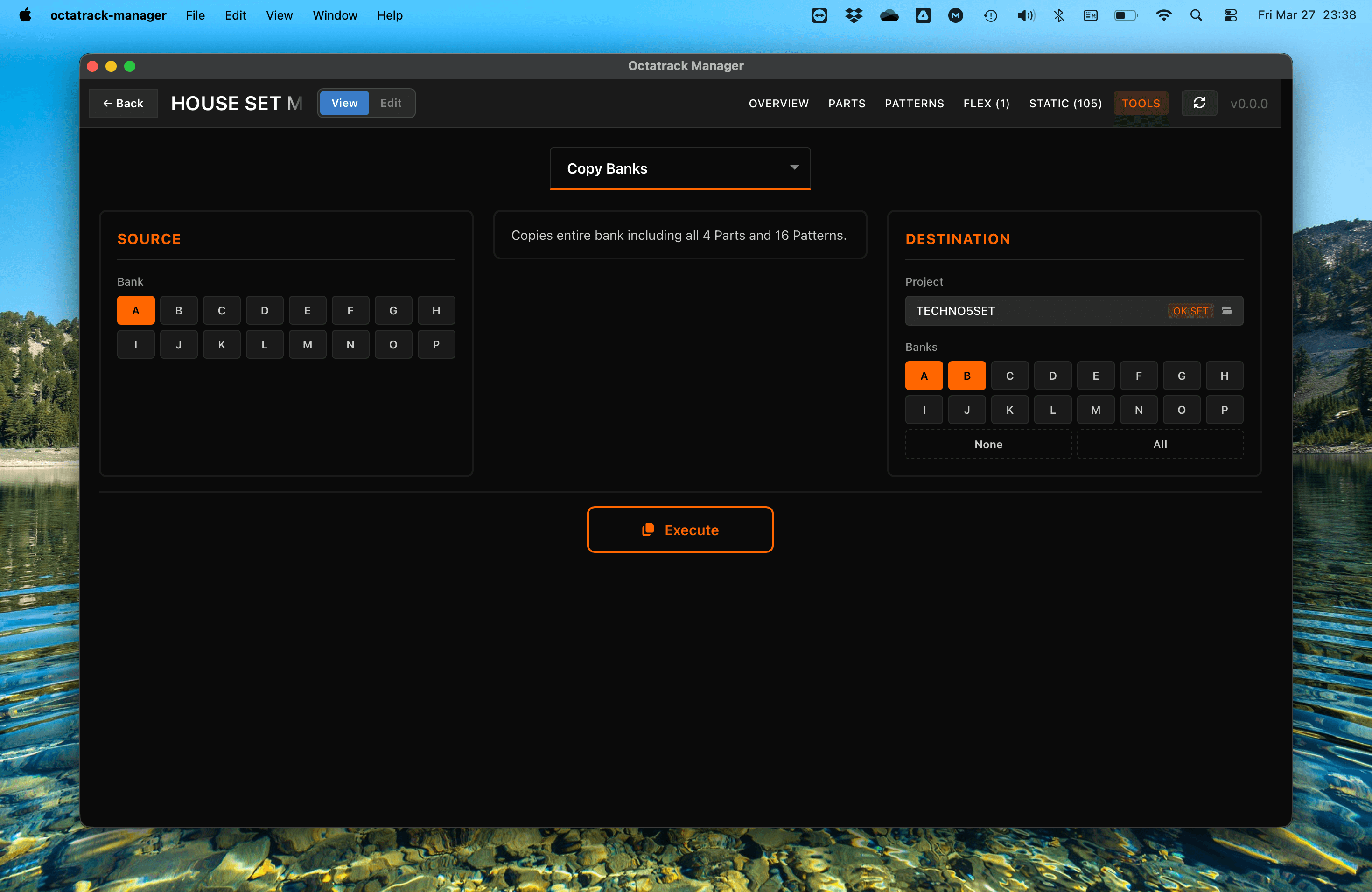
Workflow
- Source: Select the bank (A–P) to copy from the current project.
- Destination: Choose the target project and one or more destination banks (A–P).
- Execute: Perform the bank copy.
Data Copied
- 16 Patterns: Sequences, triggers, parameter locks, and micro-timing.
- 4 Parts: Machine settings, amplifier configuration, LFOs, and effects.
- Part Assignments: Pattern-to-part links.
- Track Settings: Swing, quantization, and other per-track parameters.
Important Notes
- Destructive Operation: Copying a bank replaces all existing data at the destination.
- Automatic Backup: The app automatically backs up destination bank files before executing. See Tools Overview for details.
- Sample Slots: This tool copies slot references only. It does not move the underlying audio files. Use Copy Sample Slots to transfer audio files.